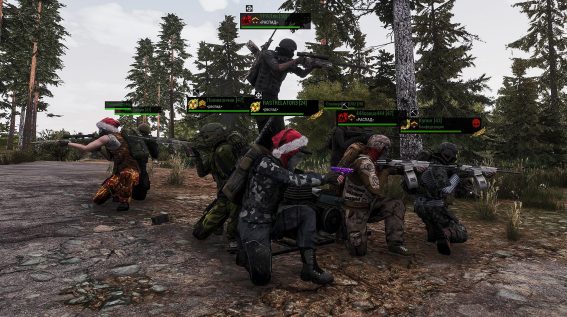
Information above the character (HUD)
Above every player (unless disabled in the game settings: “esc” – “identification”) basic character info is always visible, which contains:
Character Class


A small icon depicting one of the classes: Mercenary, Prospector, Engineer, or Hunter.
Faction


Faction members have the logo of the faction they belong to: Confederation or Black Sunset. For neutrals, it remains empty.
Rank

“Rank insignia” – can only be worn by faction members who actively kill “faction enemies”.
Player Nickname [Character Level]
PvP

If a red skull is depicted (the community usually calls it “skull” or “tomato”), it means the player has PvP mode enabled.
<Clan Name>
If the player is in a clan. If the player is in a faction but without a clan, the faction name will be displayed. For neutrals, it remains empty.
Health
Health bar (HP)
Founder

“Golden spike” – this symbol is only found on players who bought the game (when it was paid).
Player nickname color
The meaning of the nickname color displayed above the character:
- White — just a player with whom you have no ties;
- Green — this character is on your friends list, you are in the same group, or in the same faction (clan);
- Red — this character is on your enemies list, plays for the opposing faction, or their faction reputation is below 50% (for fellow faction members);
- Blue — this character has recently hit or killed an ally (for fellow faction members).

To learn more about another player, walk right up to them and press F + 1. If they are far away, unlock your cursor with the Tab key and hover it over the character.

By clicking on the clan icon, you will open a window with information about it (if the player is in a clan).
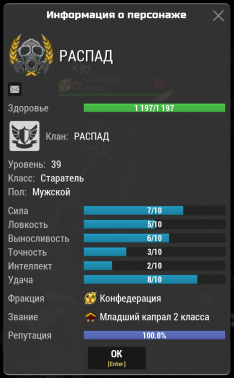
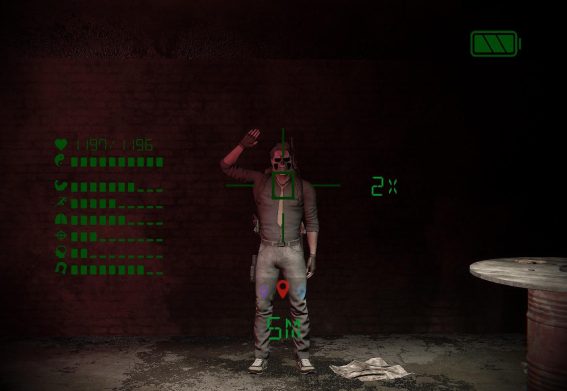
You can also get character information using a Monocular — simply aim it at the desired player to see the distance to the target, health level (HP), and the distribution of stat points.