
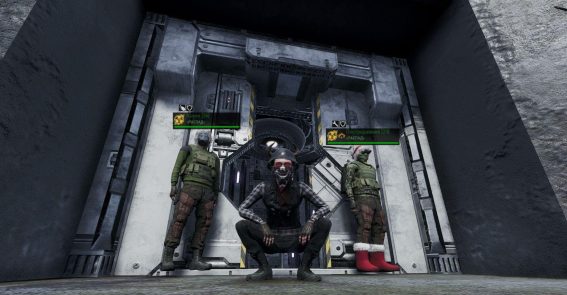
The game features military teleports that allow fast travel between locations. They look like small concrete bunkers, usually built into a mountain. A safe zone is active inside. To the right of the entrance is a panel displaying the current location and available teleportation destinations.

Using the teleport requires an NDP battery in your inventory. Please note: one battery does not work for multiple players—you cannot activate the teleport and pass the battery to someone else.
Step-by-step guide:
- Enter the teleport.
- Walk up to the panel and select your destination.
- Confirm your selection.
- Step into the glowing teleport field to travel.

Routes
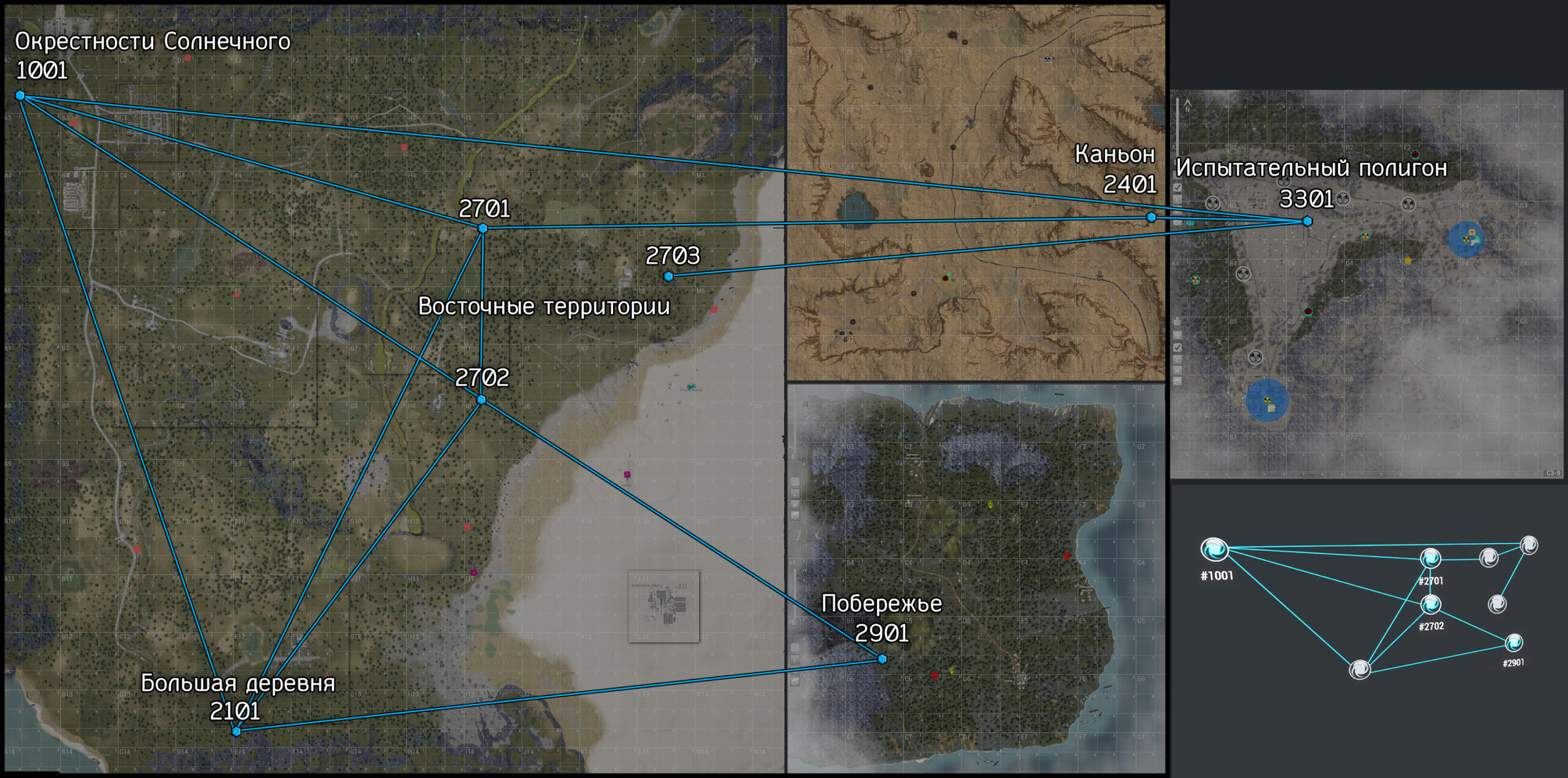
Solnechny outskirts (Solnyshko)
- Code: #1001
- Grid square: A2-8
Big Village (Korovka)
- Code: #2101
- Grid square: E13-7
East Territories (Swamp)
- Code: #2701
- Grid square: I4-7
East Territories (Garages)
- Code: #2702
- Grid square: I7-7
East Territories (Black Sunset Camp)
- Code: #2703
- Grid square: L5-6
Canyon
- Code: #2401
- Grid square: G4-6
Coast
- Code: #2901
- Grid square: B5-6
Testing Ground
- Code: #3301
- Grid square: C3-9
Route features:
- Grey (inactive) teleportation destinations mean a direct transition is impossible. In such cases, use transfers via available coordinates.
- Routes 1001-3301 (Solnechny outskirts — Testing Ground) and 2703-3301 (East Territories — Testing Ground) are available only for specific factions:
- 1001-3301 — for Confederation players.
- 2703-3301 — for Black Sunset players.

NDP battery charge consumption
The NDP battery charge consumption directly depends on the character’s weight (loadout) and the distance between teleportation points.
Below are the estimated NDP battery energy consumption costs (for a weight of about 50-60 kg) for each of the available routes.
Teleport #1001
- To #2101: 3%
- To #2701: 3%
- To #2702: 3%
- To #3301: 7%
Teleport #2101
- To #1001: 3%
- To #2701: 3%
- To #2702: 3%
- To #2901: 6%
Teleport #2701
- To #1001: 3%
- To #2101: 3%
- To #2702: 3%
- To #2401: 9%
Teleport #2702
- To #1001: 3%
- To #2101: 3%
- To #2701: 3%
- To #2901: 7%
Teleport #2703
- To #3301: 5%
Teleport #2401
- To #2701: 9%
- To #3301: 6%
Teleport #2901
- To #2101: 6%
- To #2702: 7%
Teleport #3301
- To #1001: 7%
- To #2703: 5%
- To #2401: 6%

Ready-made map markers file (MapMarkers)
We have prepared an up-to-date file with the most important map markers. After installation, you will get ready-made marks for quest points, mob spawn locations, fuel collection points, transitions, radio teleports, artifacts, and other useful objects. We tried to fit as much information as possible within the available limit — 100 markers per location.
This file will be useful for beginners who want to get comfortable in the game faster, as well as for experienced players (especially those playing multiple characters) so they don't have to place all the markers manually.
Enjoy the game!