

Character Creation
By default, in the game, on each server, you can create:
- up to 1 character if you play via Steam;
- up to 2 characters if you play via VK Play;
- up to 4 characters if you purchased the game on Steam (when it was paid, prior to 2020).
Later, additional character slots can be purchased. The cost of each subsequent slot = 500 credits. In total, you can create up to 4 characters on each server. Each slot is purchased automatically for all servers at once (no need to buy on each separate server). Characters cannot be transferred between servers.
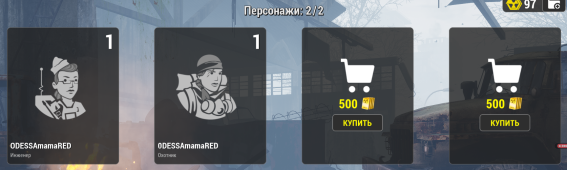
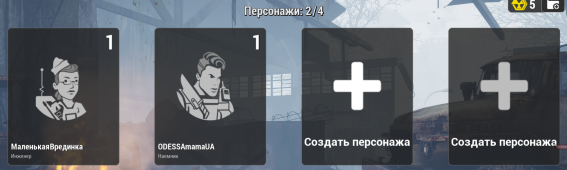
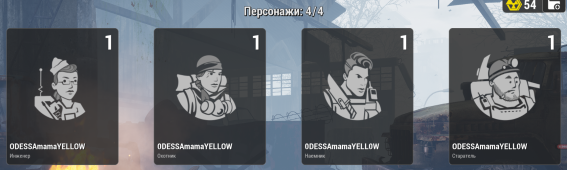
Benefits of Twinks on One Account
Having multiple characters (twinks) on one account is indeed convenient:
- you can quickly switch between them without restarting the game or launcher;
- premium status applies to all characters immediately (no need to buy it separately for each);
- the shared account inventory allows easy transfer of donation items between characters.
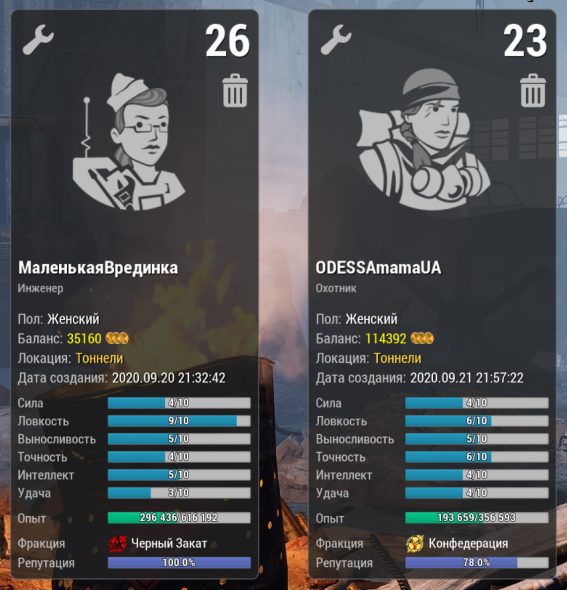
However, there is a catch. If you create multiple characters on one account and server, do not place them in different factions. For example, if the first character is in Black Sunset, and the second is in the Confederation, you will have to wait 1 hour of real time when switching between them.
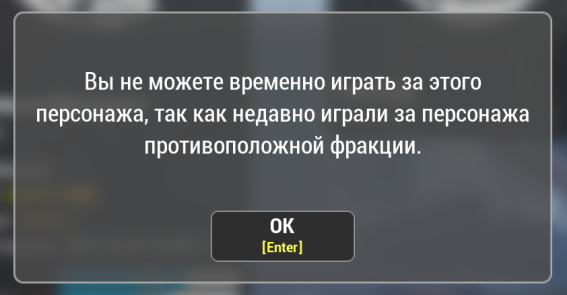
Therefore, if you plan to play actively for both factions, it is better to create characters of different factions on separate accounts – this way you will avoid login delays.
 Class
Class
Choosing a character class affects your future gameplay, since each class has its own unique features (strengths and weaknesses) relative to others. For example, each class has its own weapon, and using a weapon not intended for your class will be less effective and impractical. Also, classes can use various additional equipment, which will work worse in the hands of other classes. Some items available to, say, the Engineer, cannot be used by other classes at all. Character skills also play an important role, giving unique bonuses to each class. Therefore, when choosing a character, you should decide on your goals in the game and what gameplay suits you best.
 Miner
Miner

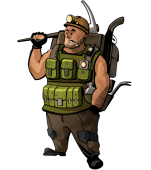
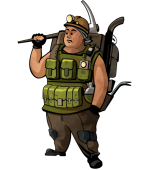
- Class Weapon: Shotguns
- Extra Gadgets: Grenade Launchers (RG and RPG)
An ideal “farming machine”, often chosen to support other characters. This class can carry heavy weight and has maximum health.
In PvP, the Miner feels confident at close range but is absolutely helpless at long range.
 Hunter

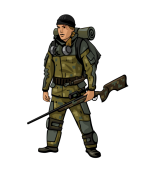
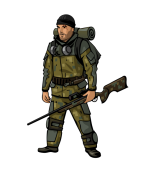
- Class Weapon: Sniper Rifles
- Extra Gadgets: Mobs are highlighted on the minimap
A class for experienced players that can be difficult for beginners. Players usually level up an Engineer first and then respec into a Hunter.
The difficulty of the Hunter lies in his weakness in the early stages, both in PvE and PvP. However, with top-tier weapons, he becomes the strongest class in PvP and, in skilled hands, leaves no chance for enemies.
 Mercenary

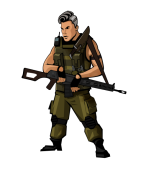
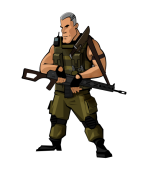
- Class Weapon: Assault Rifles
- Extra Gadgets: Hand grenades and machine gun
The most versatile class in the game. This character performs equally confidently in PvP (at any range) and in PvE.
 Engineer

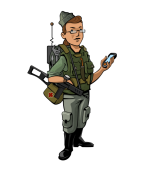
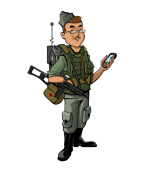
- Class Weapon: Submachine Guns
- Extra Gadgets: Mines and various equipment
The Engineer’s strong suit is fast leveling of character and weapons, which is why it is often chosen for subsequent class changes.
The Engineer is indispensable in “Canyon” and “Polygon” locations, as only he can capture bases. However, active participation in PvP battles can be costly due to the need to frequently purchase equipment.
 Character Customization
Character Customization is the process of creating a unique look for your hero, allowing you to stand out among other players. You can customize appearance both during character creation and at any time in the game. Changing appearance is free.
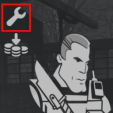
To open the customization menu, select the server, and then on the character selection screen (before connecting to the server) click the wrench icon in the upper left corner.
The game features both free and paid customization items. Purchased items (e.g., glasses) are available for all characters of any gender on all servers. However, some items, like faces or striped shirts, can only be used on characters of a certain gender – but also on any server.
The chosen appearance does not affect gameplay: all models have the same stats, regardless of gender, body type, and other parameters. Also, when wearing armor, the character’s appearance is almost invisible.
Character customization options:

General

Head


Besides choosing a face and hairstyle, you can also change hair color.
Helmets, glasses, and masks hide the head almost completely.

Torso


Ability to recolor sweater elements is available.
When wearing a bulletproof vest, only the sleeves of the chosen sweater are visible.

Legs


Ability to change pants color is available.
When wearing armor pants, this clothing element is not visible.

Feet


Ability to change sneakers and shoes color is available.
When wearing footwear, this element is not visible.

Glasses


You can change the color and transparency of the lenses.
When using NVG or a mask/gas mask, glasses are not visible on the character.

Watch


Backpack


The backpack’s appearance depends on the character class.
In customization, you can only change its color.


Gender
Male / Female
 Certificates
Please note: upon character creation, the chosen nickname, gender, and class can only be changed using the corresponding certificate:
 Class Certificate;
 Gender Change Certificate;
 New Passport (nickname change).
They can be purchased in the donation shop (for real money) or bought from other players for in-game tokens (price will depend on the specific server and seller).
How to apply a certificate
- Activate the certificate:
- Place the certificate in the inventory of the character you want to apply it to.
- Right-click on the certificate and select “Use”.
- Go to settings:
- Exit to the main menu.
- After selecting the server, enter the customization settings of the character you applied the certificate to.
- Select the desired change:
- Name change: enter a new name in the corresponding field.
- Gender change: select the desired gender.
- Class change: select a new class.
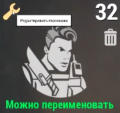
Important to know:
When changing class, all class skills will be reset. You will need to redistribute them. The leveling of the previous class’s specialized weapon will drop to 50%. If you level up the new class’s weapon to 50% in advance, after changing the class it will become specialized, and its leveling will increase to 100%.
When changing nickname, make sure it complies with the game rules and does not contain forbidden words or insults. Otherwise, if complaints start coming in about your nickname from other players, the administration can ban your character without prior warning. Amnesty is unlikely in such cases, but sometimes the administration meets players halfway. To do this, you need to purchase a new name change certificate and guarantee that the future nickname will be correct and meet all requirements. Watch your nickname choice to avoid such situations!
What changing a name looks like in the game: Changing Character Name in Will To Live Online 🪪